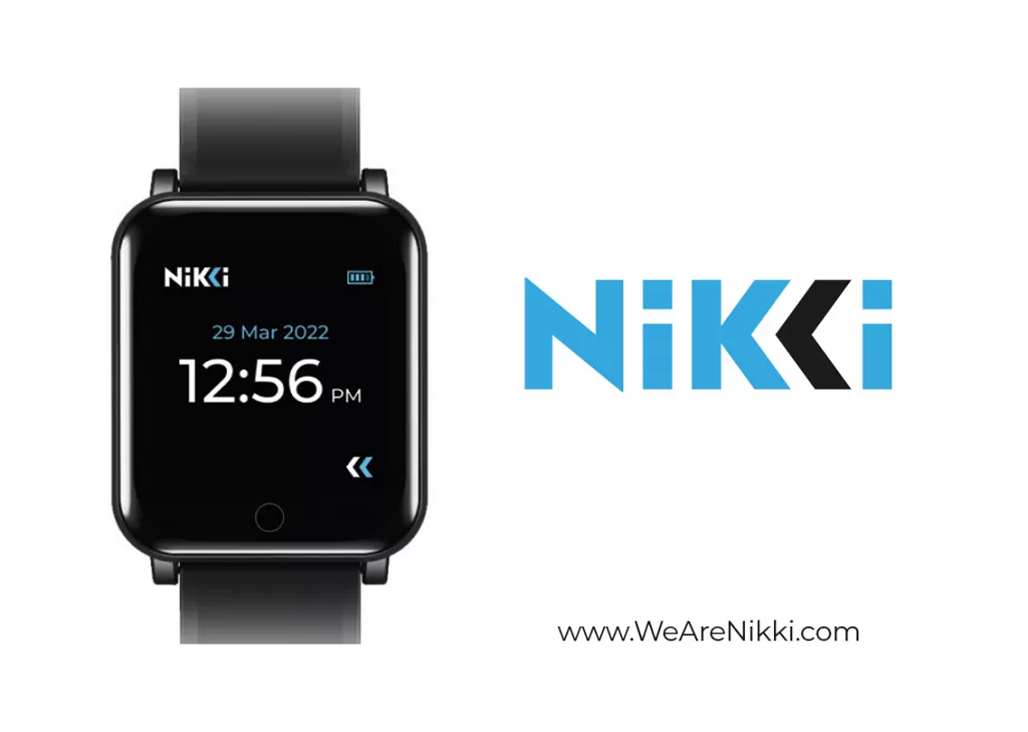
Activate Your Nikki

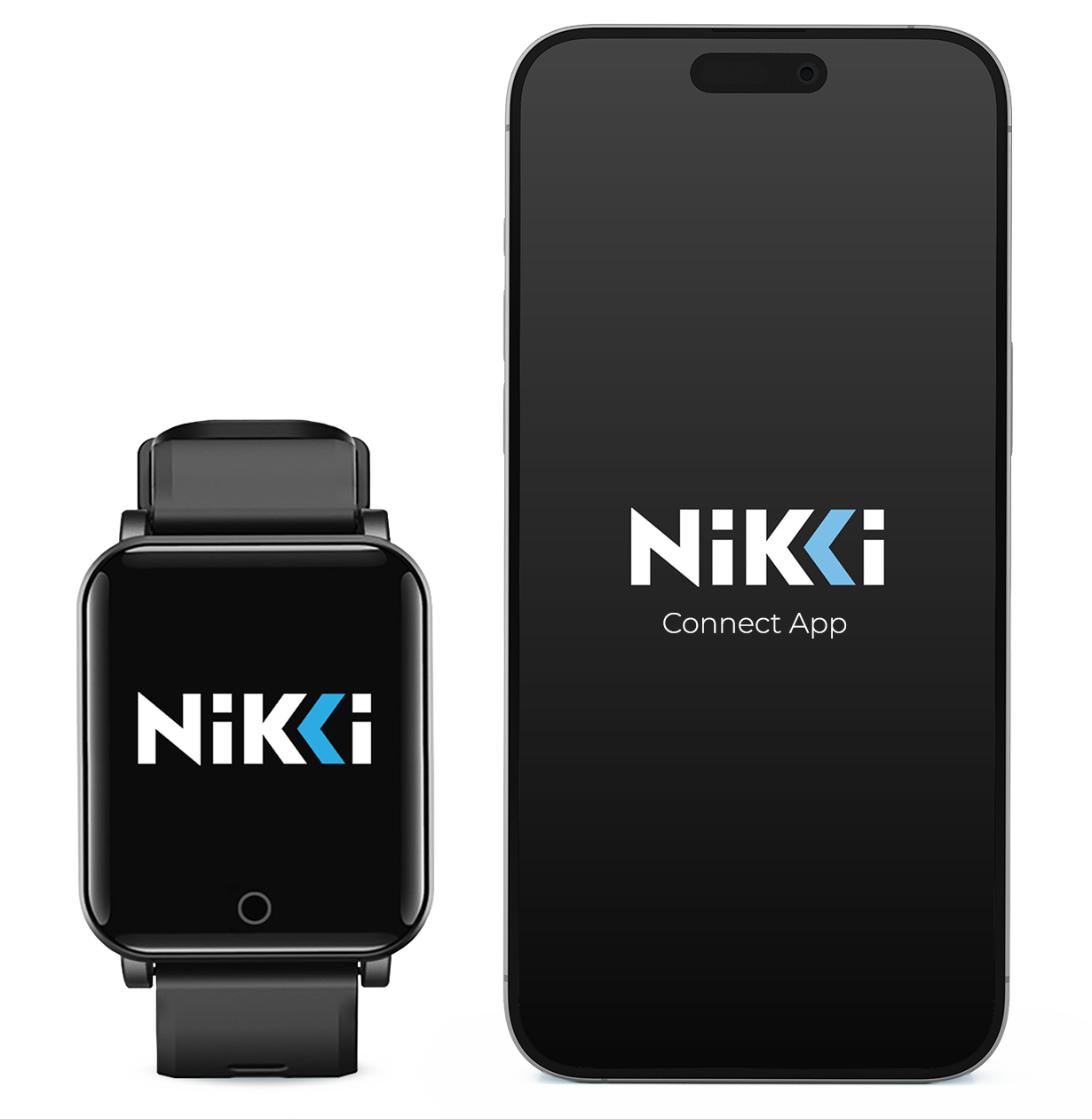
Getting started with NIKKI is quick and simple. Follow the steps below to activate your device and begin using your wellness programs through the NIKKI Connect App.

Download the NIKKI Connect App from the App Store or Google Play to get started.

Turning on your Nikki

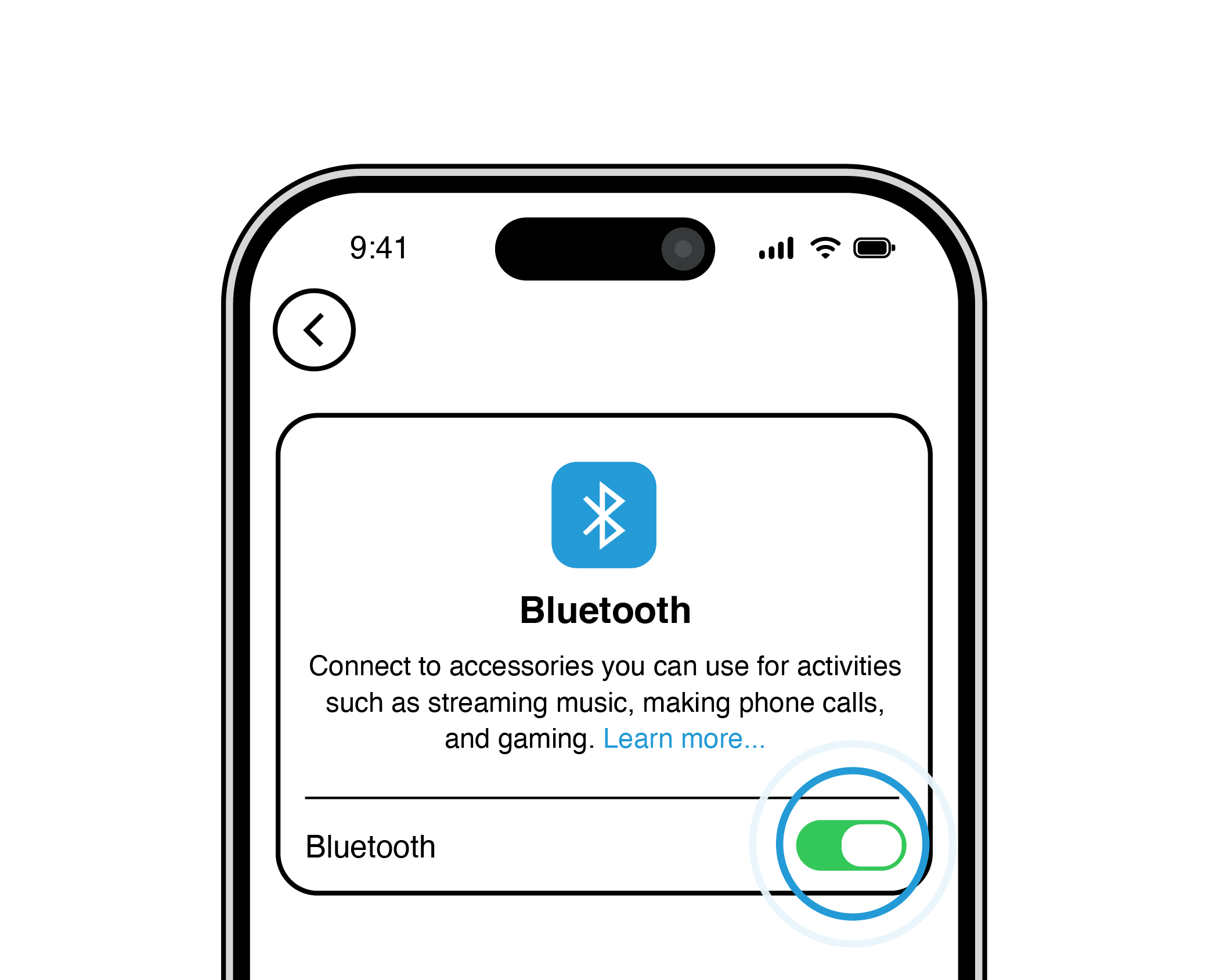
Before activating your device, make sure your NIKKI is charged and your phone’s Bluetooth is enabled. Activation ensures your device is securely connected and ready to deliver wellness programs through the NIKKI Connect App.

Make sure your BLUETOOTH is turned ON.

1

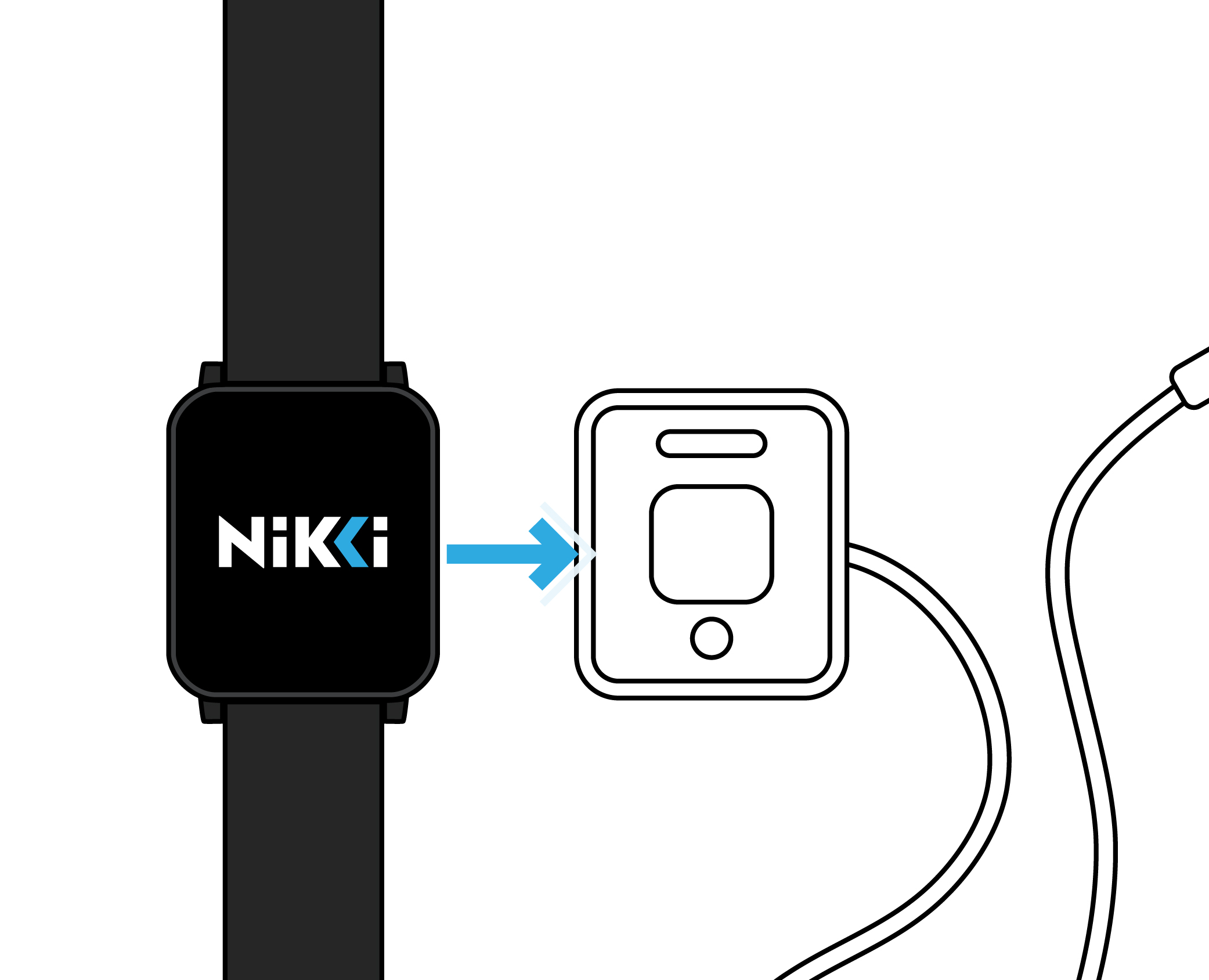
Put your NIKKI on a charger.

2

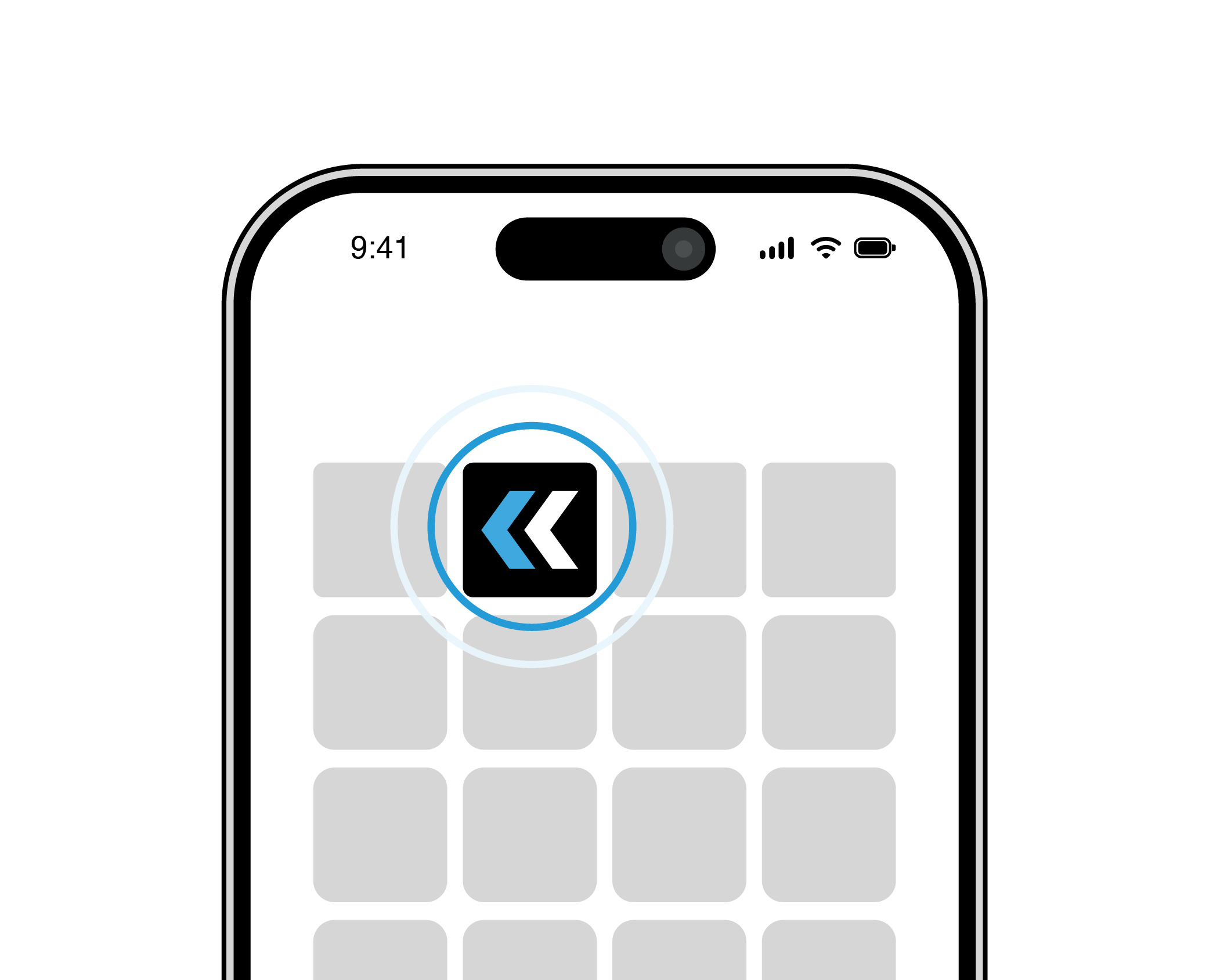
Open your NIKKI Connect app.

3

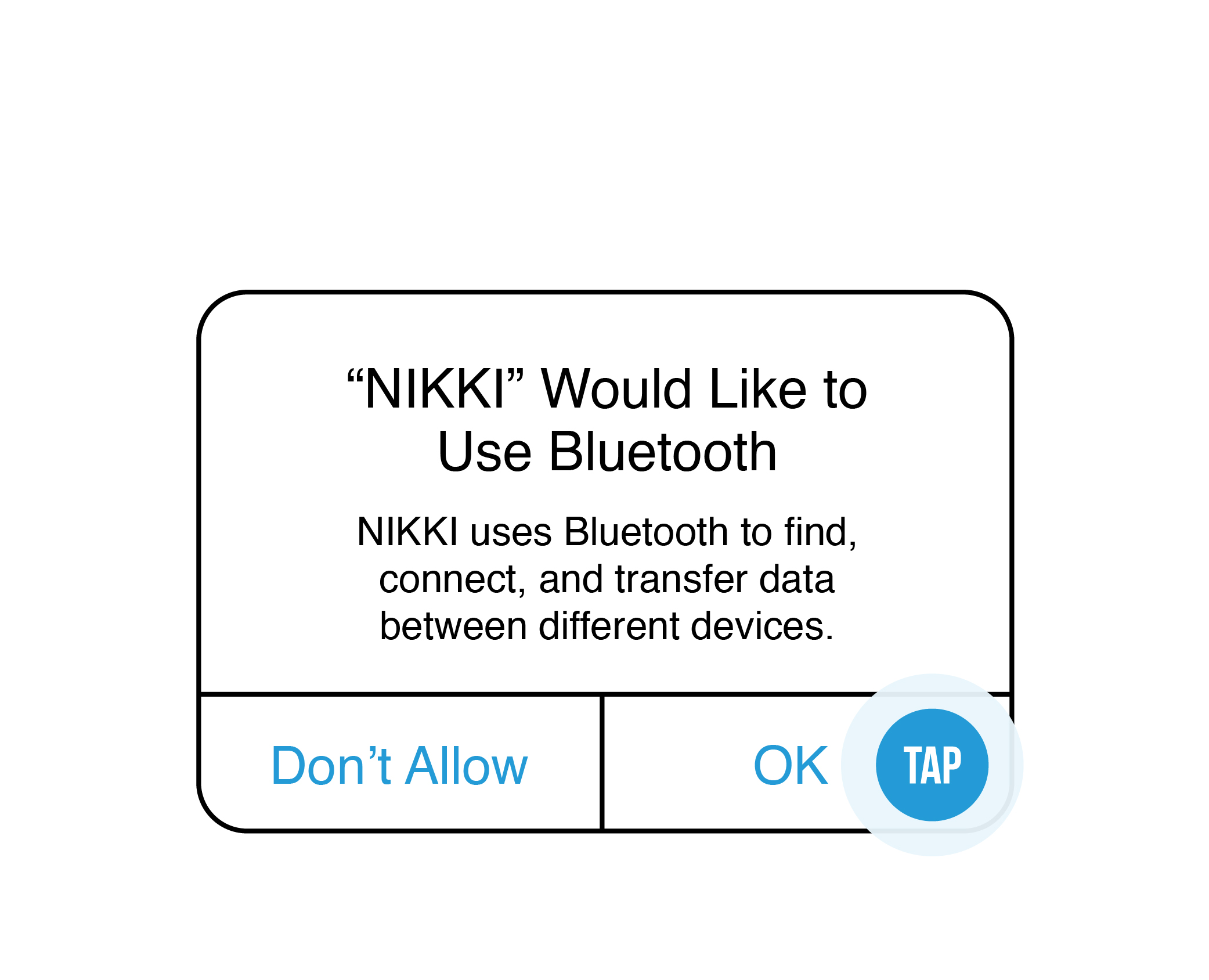
Allow BLUETOOTH to connect. Your phone/tablet may do this automatically.

4

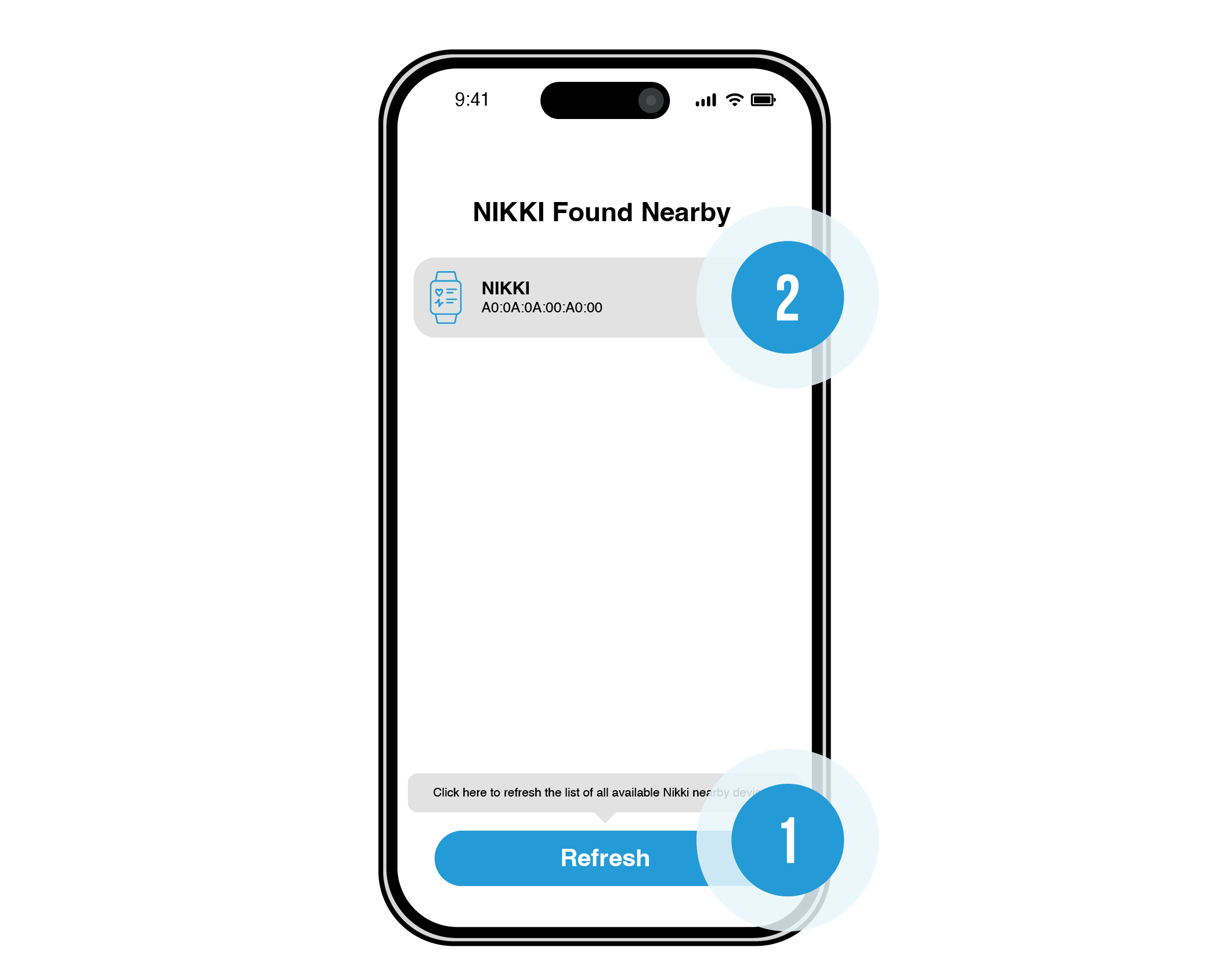
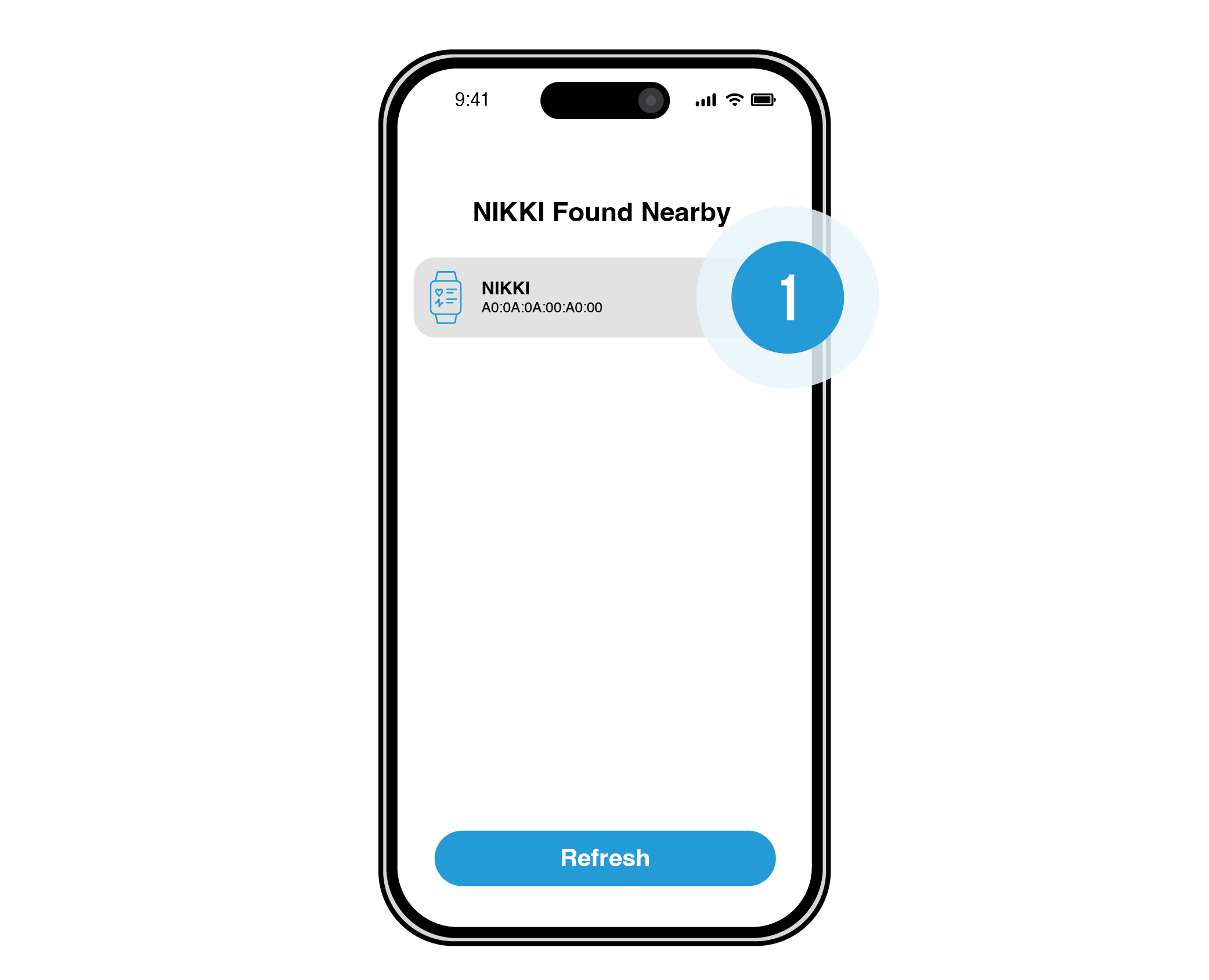
Press refresh and tap your NIKKI device (your phone/tablet should find the nearest NIKKI).

5

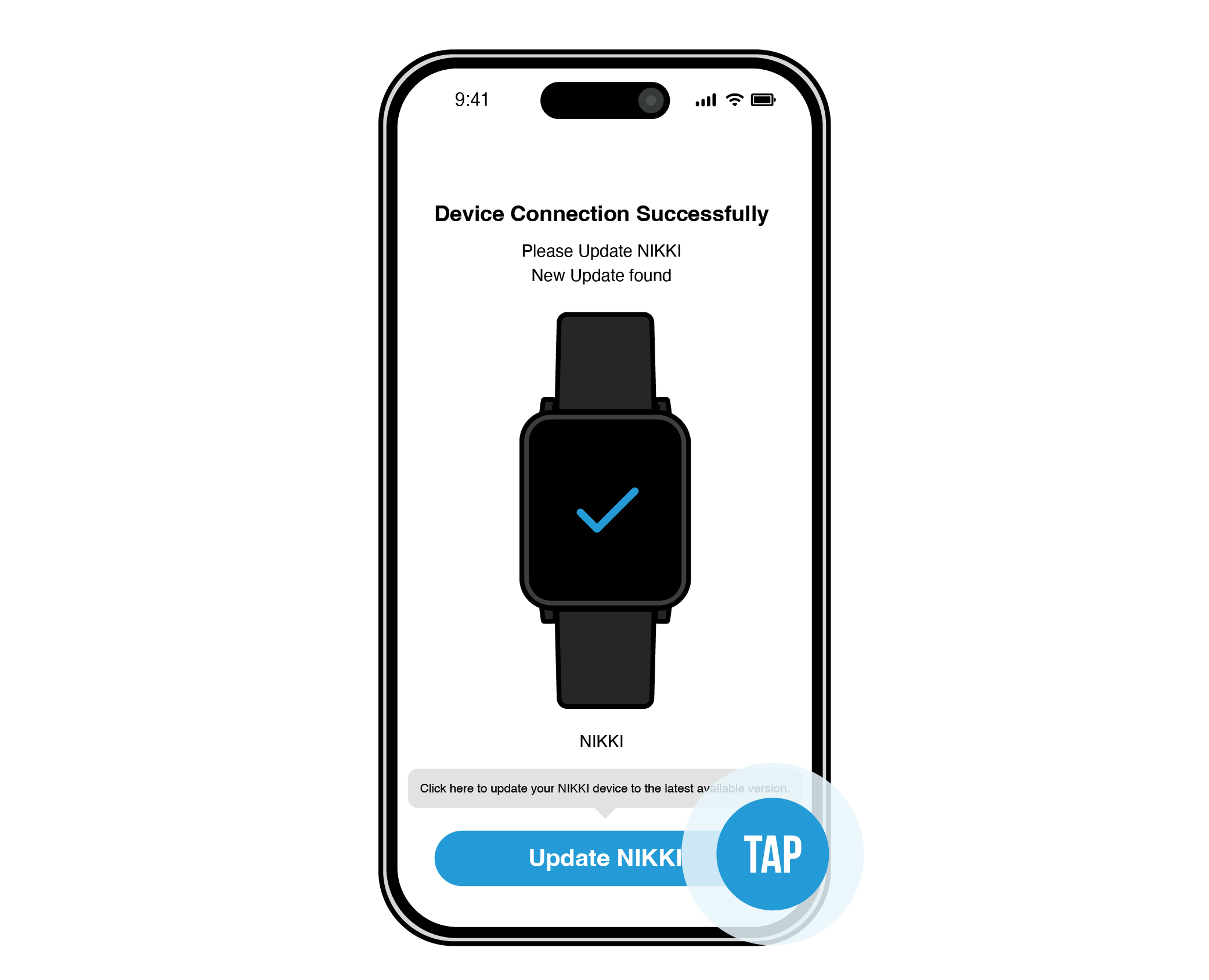
Tap “Update NIKKI”.

6

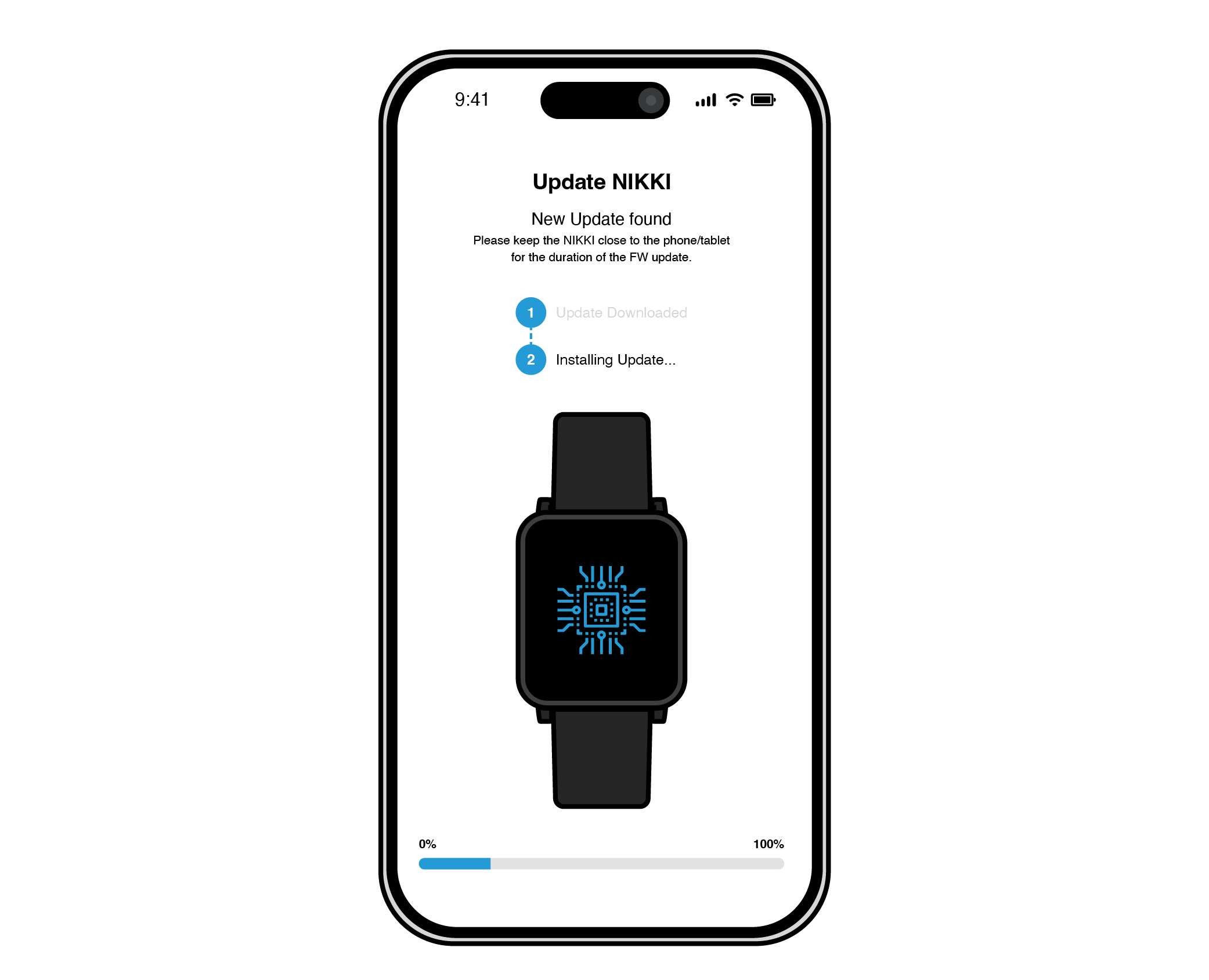
NIKKI Connect will update and install firmware.

7

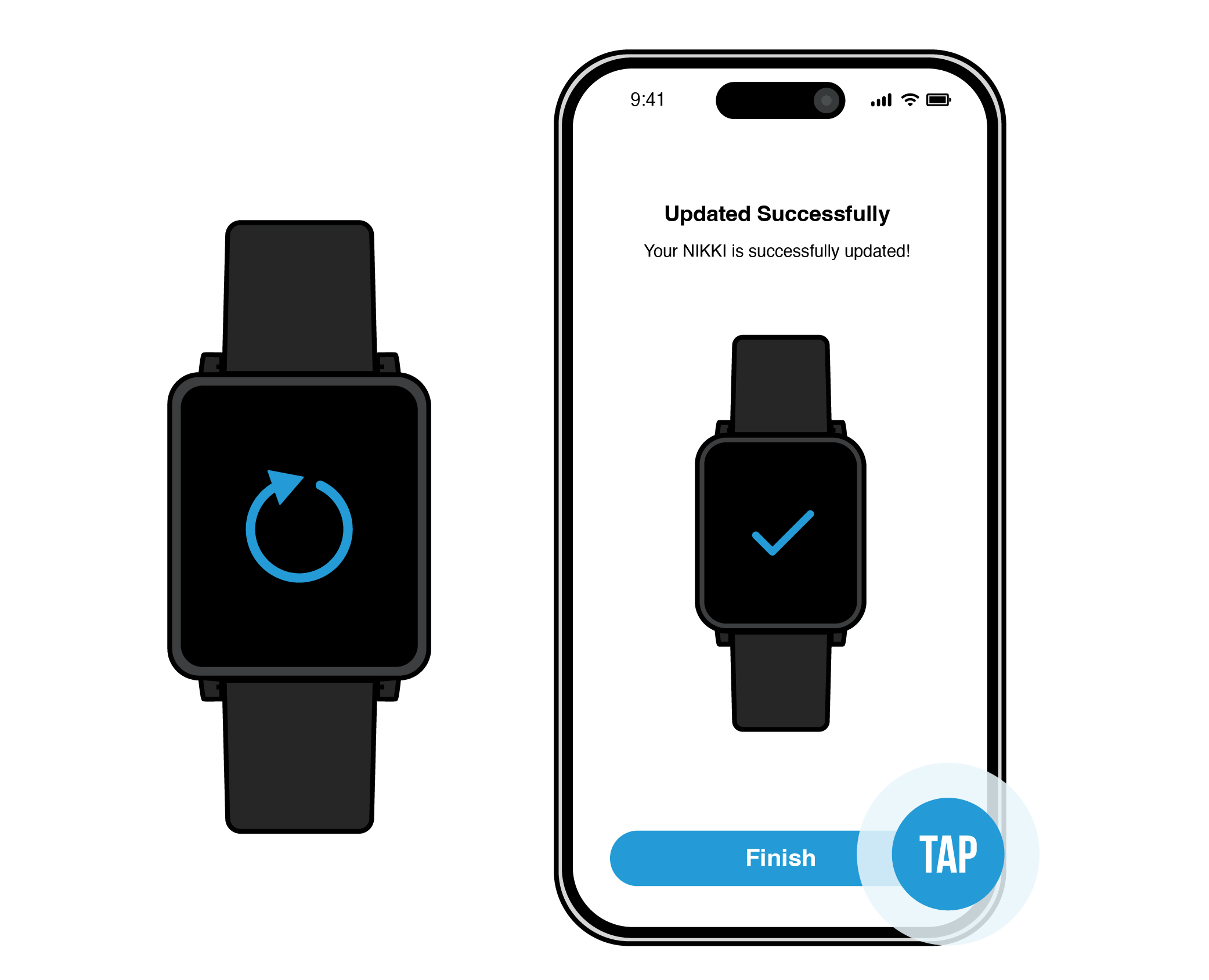
Once installed, your NIKKI will restart. Your app will say “Updated Successfully”. Tap the “Finish” button.

8

NIKKI Connect will go back to the page where your NIKKI is discoverable. Tap on the same NIKKI.

9

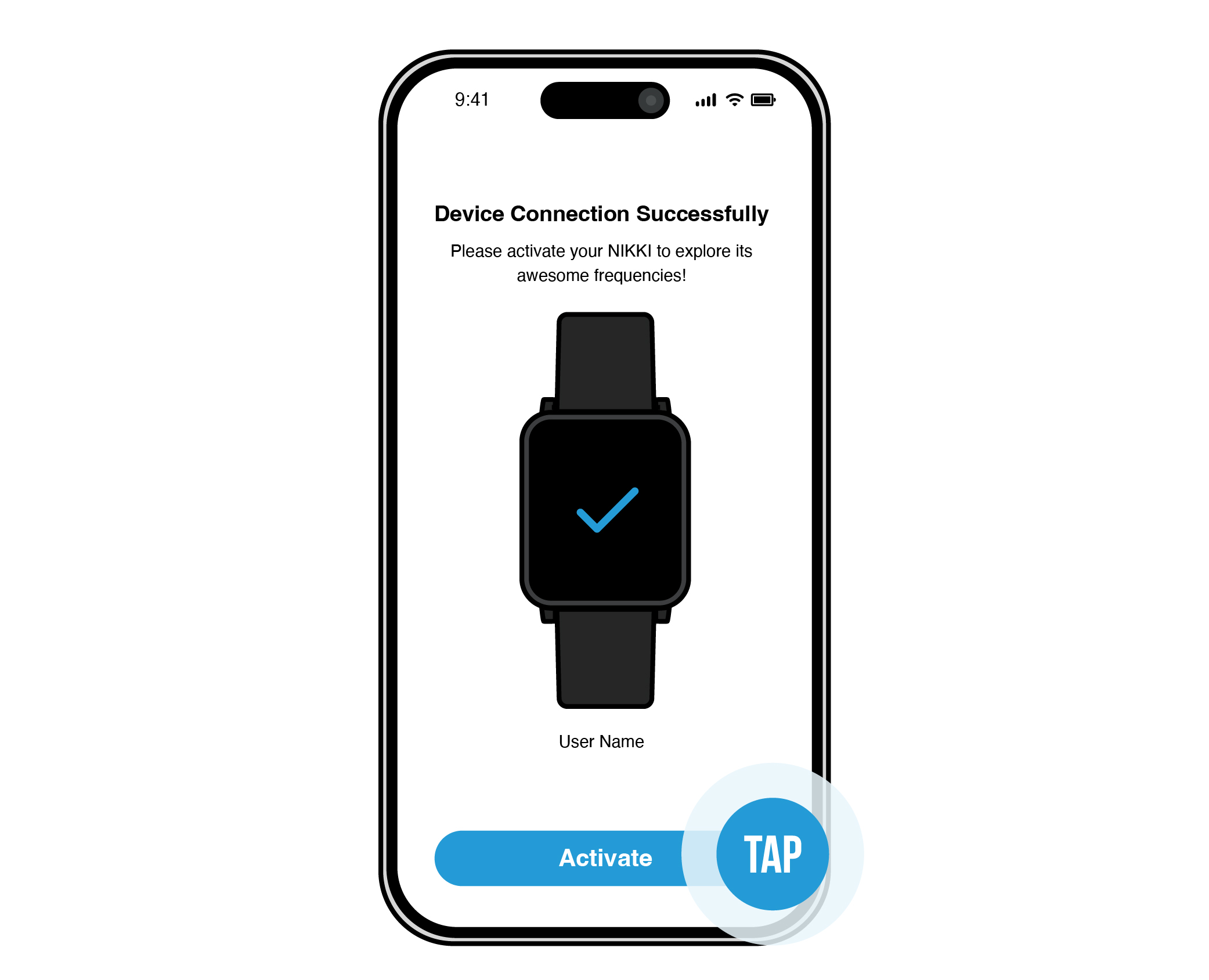
It will come to a page that says “Device Connection Successful”. Tap the “Activate” button.

10

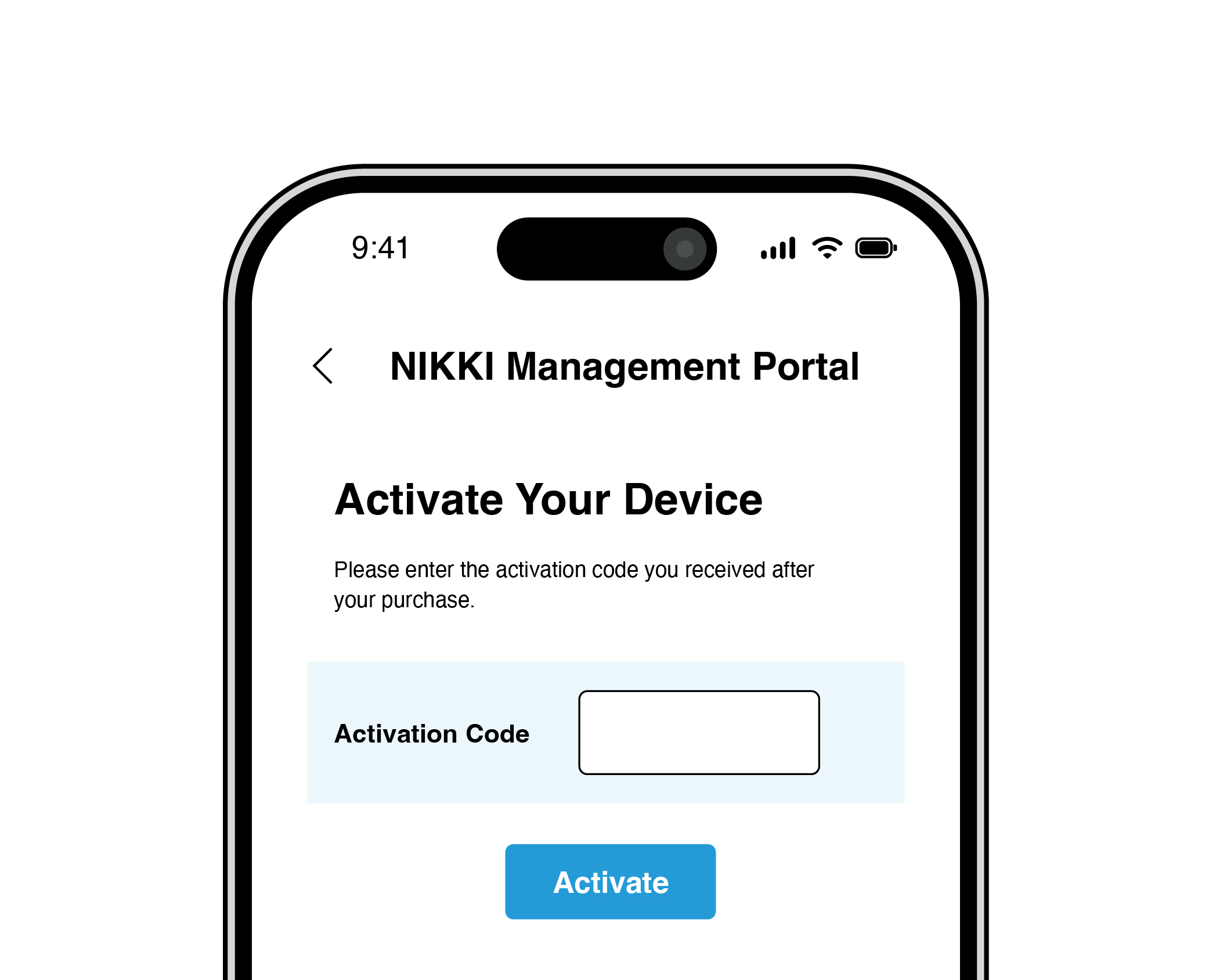
Enter the activation code sent to your email.

11

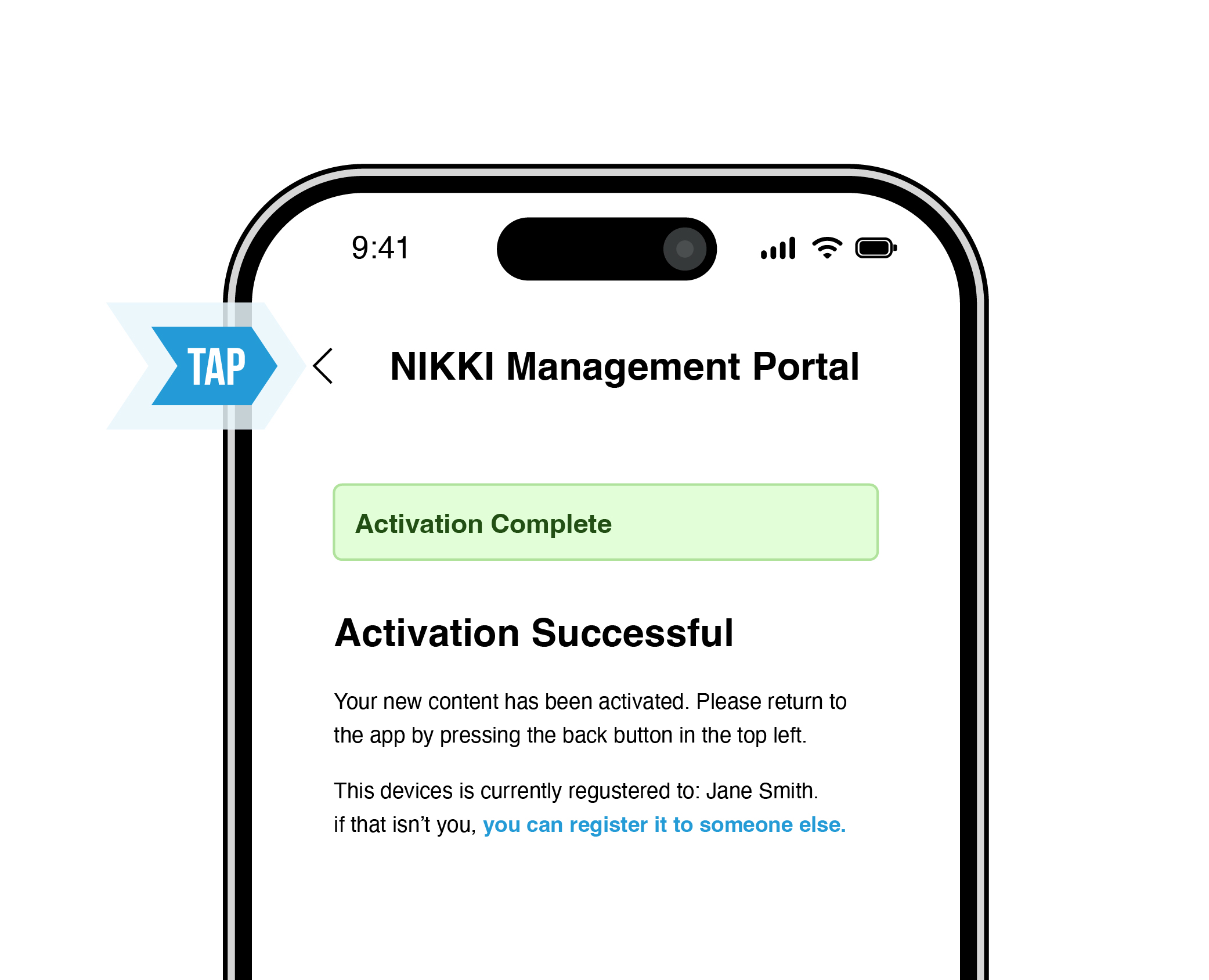
Once you enter your activation code, it will say “Activation Code Successful” in green highlight. Tap the top-left back arrow to go to the device management screen.

12

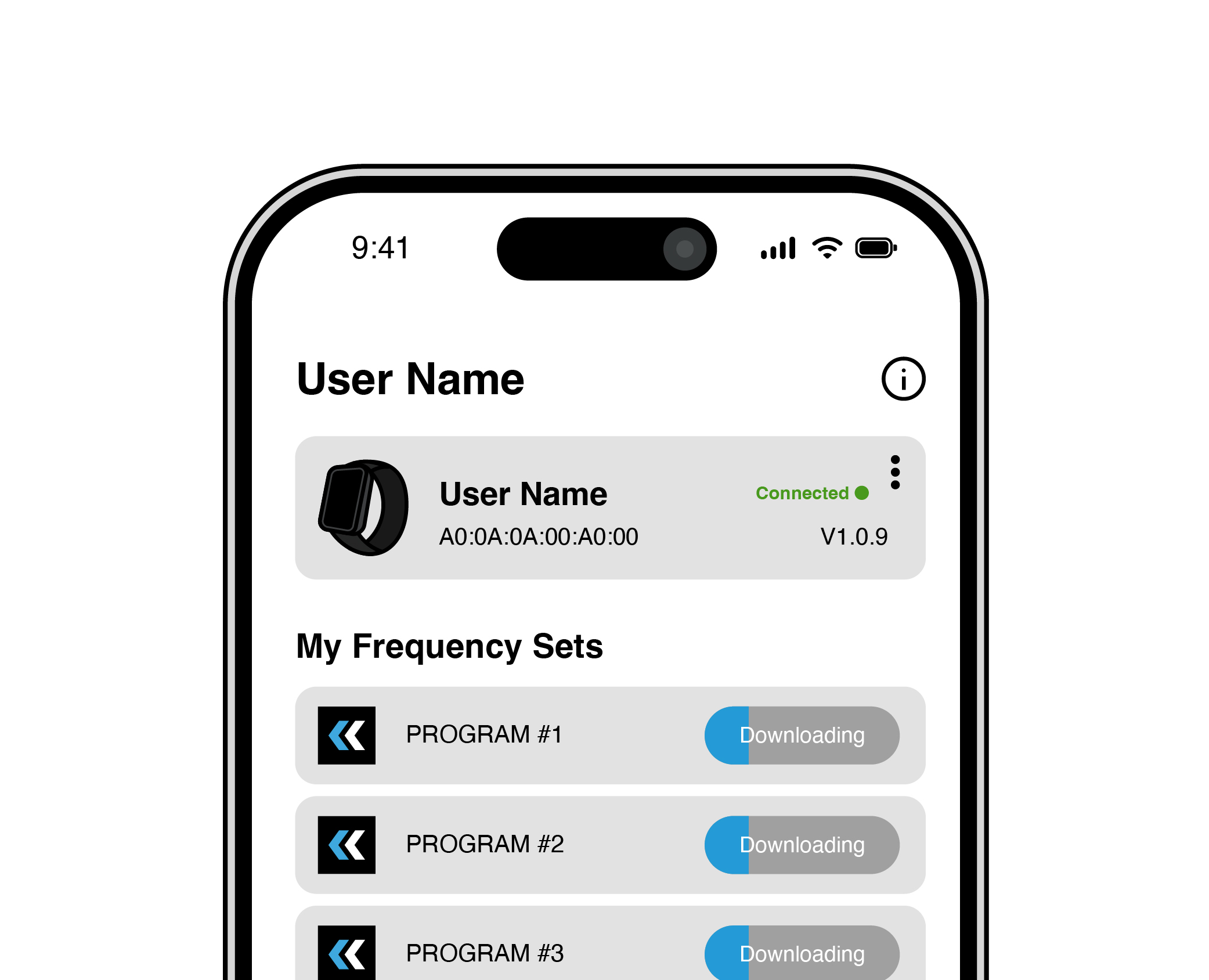
Your Frequency Sets will download and install on your NIKKI device. During this step it is important to keep your phone/tablet close to your NIKKI device.

13

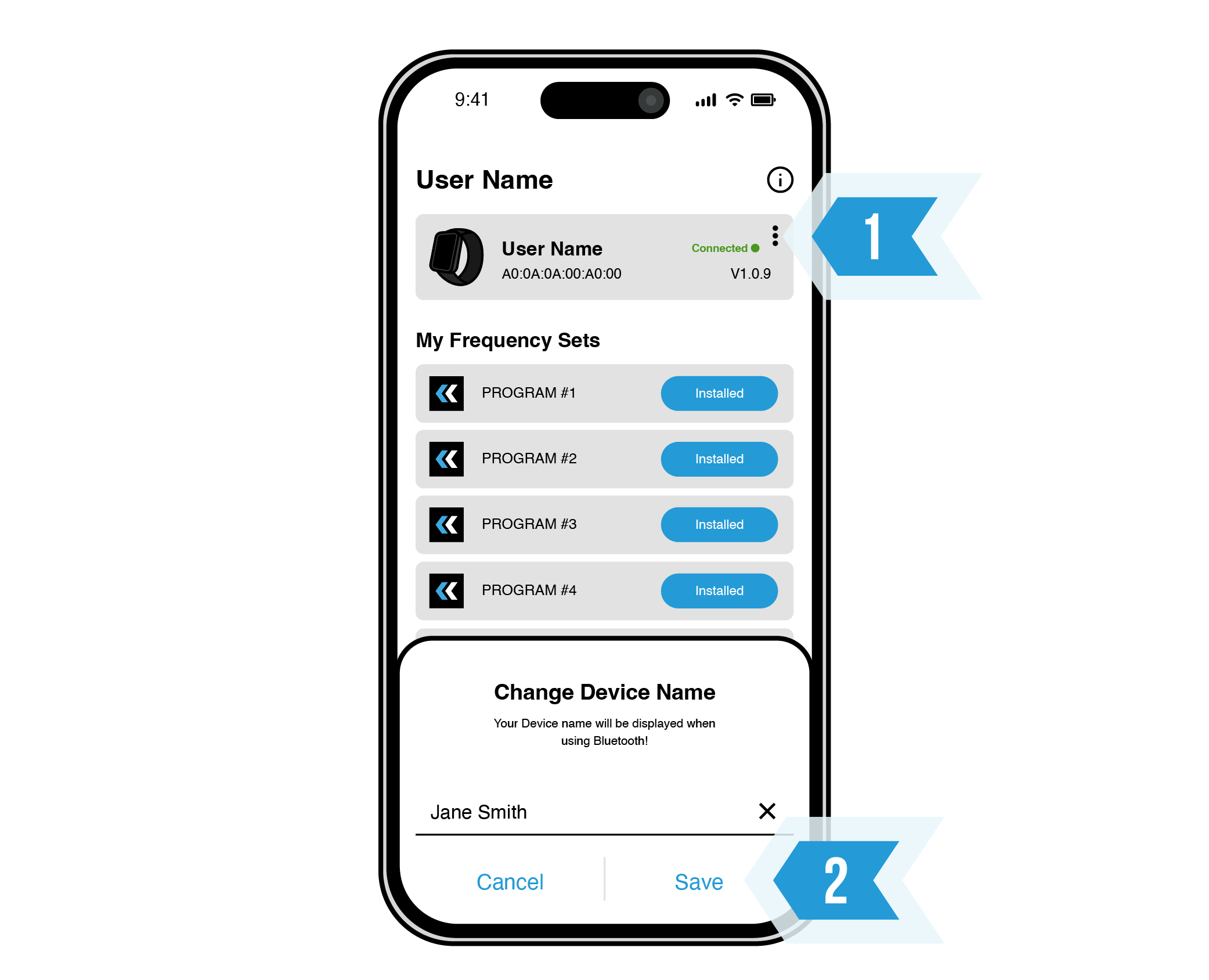
To edit your device's nickname, tap the three dots at the top-right. Input your chosen name and tap "Save".

14

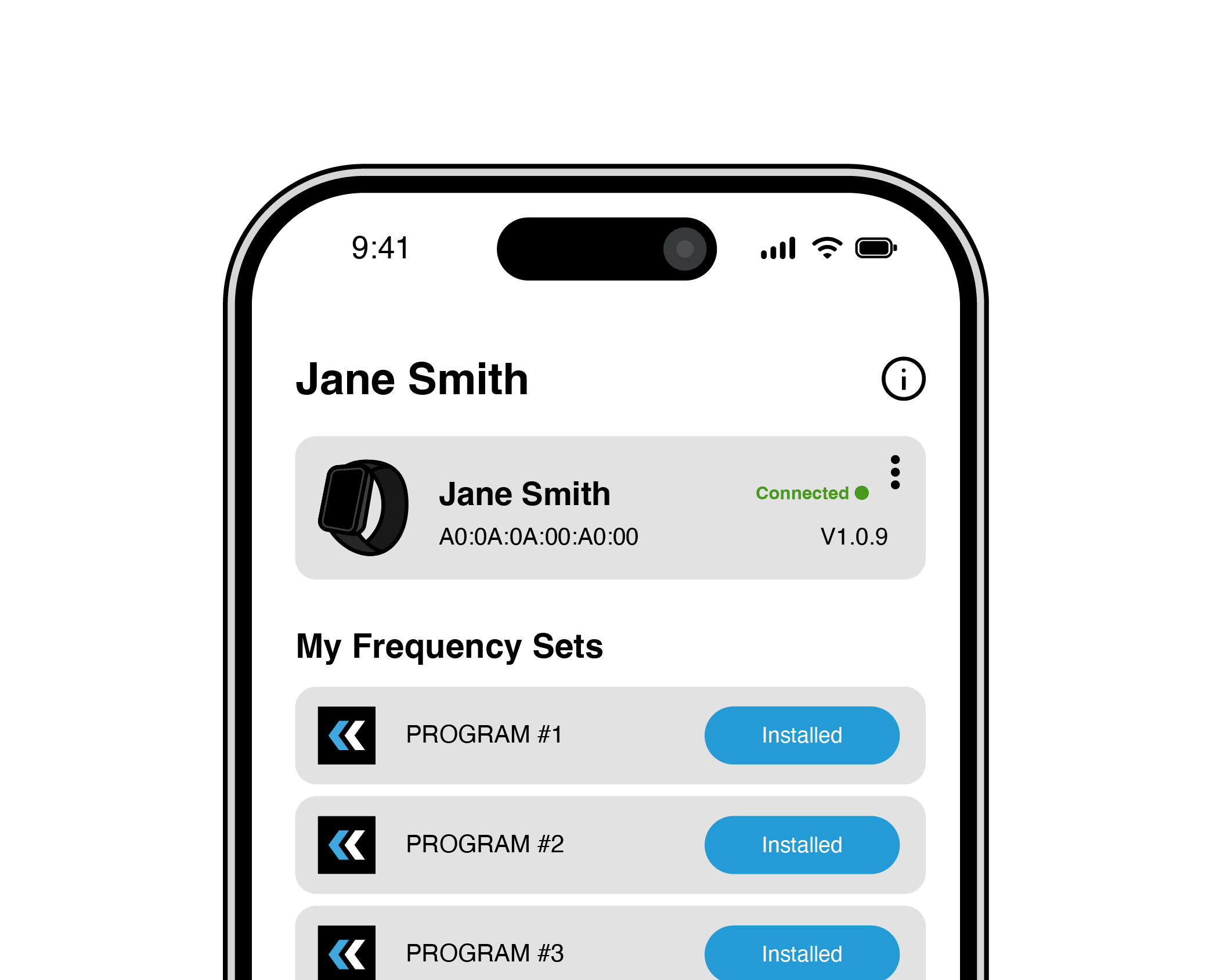
Your device name will update on the device management screen.

15

1

Make sure your BLUETOOTH is turned ON.

2

Put your NIKKI on a charger.

3

Open your NIKKI Connect app.

4

Allow BLUETOOTH to connect. Your phone/tablet may do this automatically.

5

Press refresh and tap your NIKKI device (your phone/tablet should find the nearest NIKKI).

6

Tap “Update NIKKI”.

7

NIKKI Connect will update and install firmware.

8

Once installed, your NIKKI will restart. Your app will say “Updated Successfully”. Tap the “Finish” button.

9

NIKKI Connect will go back to the page where your NIKKI is discoverable. Tap on the same NIKKI.

10

It will come to a page that says “Device Connection Successful”. Tap the “Activate” button.

11

Enter the activation code sent to your email.

12

Once you enter your activation code, it will say “Activation Code Successful” in green highlight. Tap the top-left back arrow to go to the device management screen.

13

Your Frequency Sets will download and install on your NIKKI device. During this step it is important to keep your phone/tablet close to your NIKKI device.

14

To edit your device's nickname, tap the three dots at the top-right. Input your chosen name and tap "Save".

15

Your device name will update on the device management screen.

FCC RF Exposure Statement

The device has been evaluated to meet the general RF exposure requirement. The device can be used in portable exposure conditions without restriction.

IC RF Exposure Statement

The device has been evaluated to meet the general RF exposure requirement. The device can be used in portable exposure conditions without restriction.

Get Set Up in Minutes

Download the NIKKI activation manual for clear, step-by-step guidance on setting up your device and starting your program.

GOt Questions?

We’ve pulled together answers to the most common questions about setup, activation, and using your NIKKI device.

If something comes up, chances are it’s covered here.

Lorem ipsum dolor sit amet consectetur adipiscing elit?

Lorem ipsum dolor sit amet, consectetur adipiscing elit. Ut elit tellus, luctus nec ullamcorper mattis, pulvinar dapibus leo.

Lorem ipsum dolor sit amet, consectetur adipiscing elit. Ut elit tellus, luctus nec ullamcorper mattis, pulvinar dapibus leo.

Lorem ipsum dolor sit amet, consectetur adipiscing elit. Ut elit tellus, luctus nec ullamcorper mattis, pulvinar dapibus leo.

Lorem ipsum dolor sit amet, consectetur adipiscing elit. Ut elit tellus, luctus nec ullamcorper mattis, pulvinar dapibus leo.

GOt Questions?

We’ve pulled together answers to the most common questions about setup, activation, and using your NIKKI device.

If something comes up, chances are it’s covered here.